 prosediff
A diff for code prose.
Put two versions of a Word, LibreOffice or Markdown document side by side, each paragraph facing the one it came from. Passages that moved are followed, even when they were rewritten on the way. Then let an AI read the changes, or a single document, mark what is wrong, and hand its fixes back as tracked changes in Word or LibreOffice.
uv tool install prosediff
Other ways to install Source on GitHub Free and open source, MIT licence
12We recruited 120 participants from three hospitals and followed them for six months. Consent was obtained from all participants.
13Outcomes were assessed by two blinded raters.
12We recruited 124 participants from four hospitals in northern Italy and followed them for 1twelve months.
13Outcomes were assessed by two blinded raters. All participants gave written consent.
Side by side
Read both versions as prose, not as a list of lines
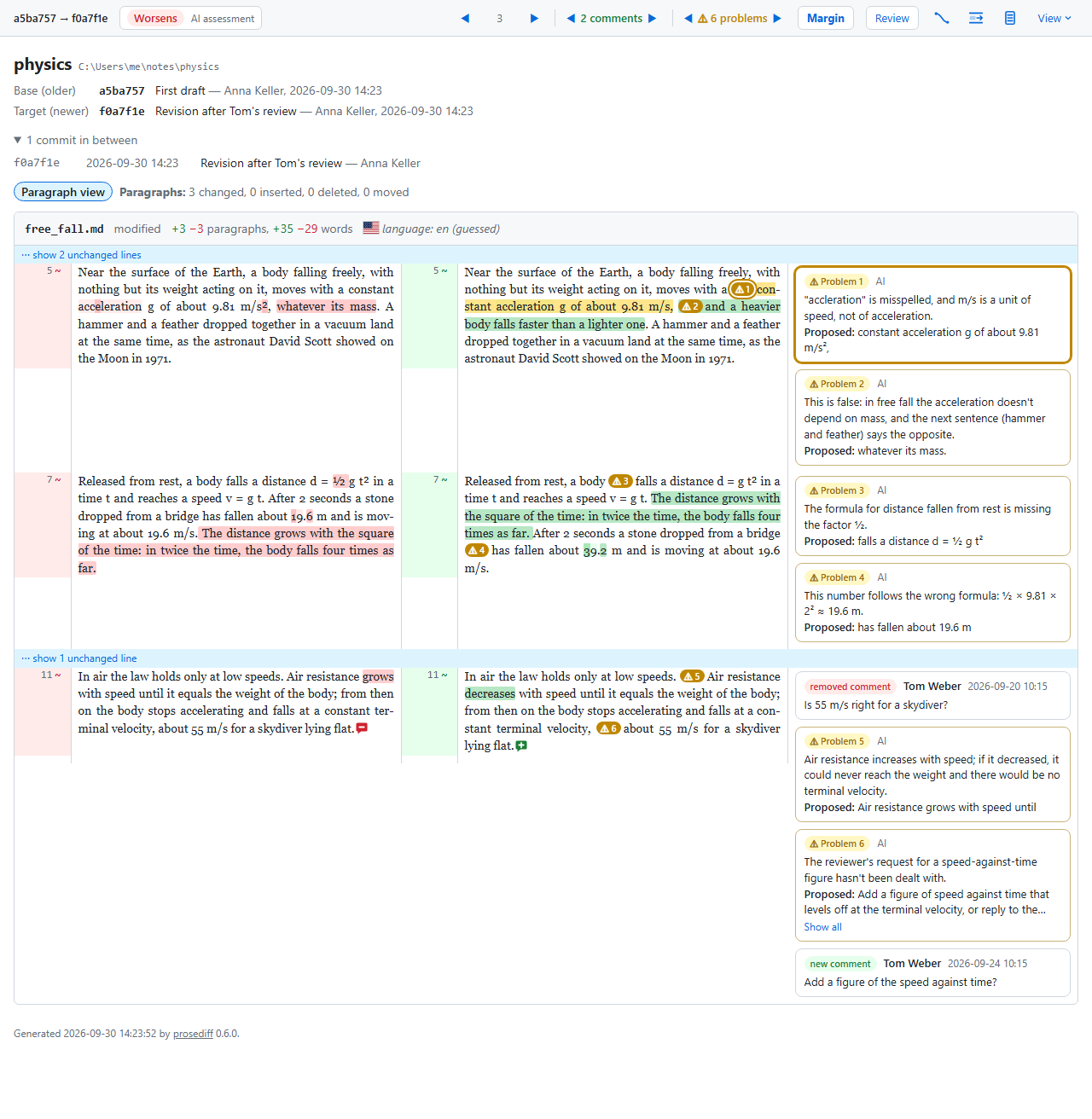
The older version is on the left, the newer on the right. Paragraphs wrap and are numbered, and each edited paragraph faces the paragraph it came from, however much it was rewritten. Adding, deleting or splitting a paragraph doesn't push the ones below onto the wrong partners.
- Changed words are highlighted inside the paragraph.
- Comments added or removed in Word or LibreOffice appear where they sit, with author and date. Old comments are left out.
- Switch between paragraph and sentence view with one key.
- Track Changes doesn't need to be on: prosediff compares the two saved files.
Moved passages
Text that moved is followed, even when it was rewritten
Co-authors reorder. A diff tool shows a moved paragraph as one deletion and one unrelated addition, and you have to work out yourself that it is the same text. prosediff shows it at both ends, tinted as a move, with "moved to" and "moved from" labels and the words edited along the way highlighted.
- Whole paragraphs, and single sentences taken from one paragraph and put into another.
- You choose how similar a passage must stay to count as moved.
AI assessment
An AI reads the changes like a careful co-author
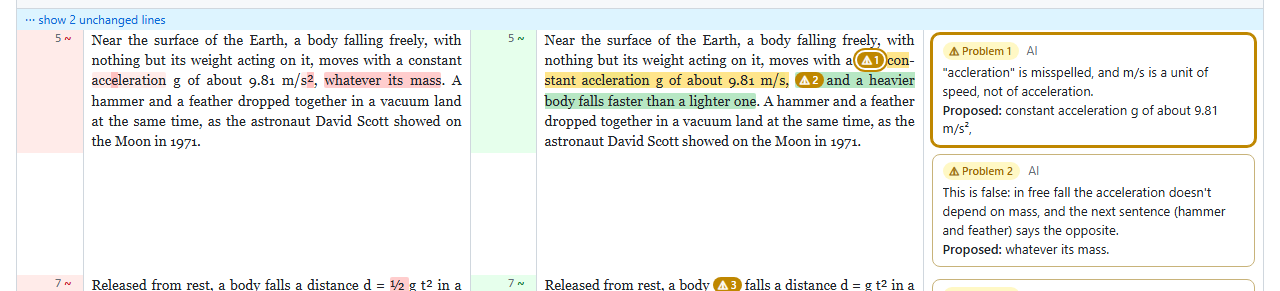
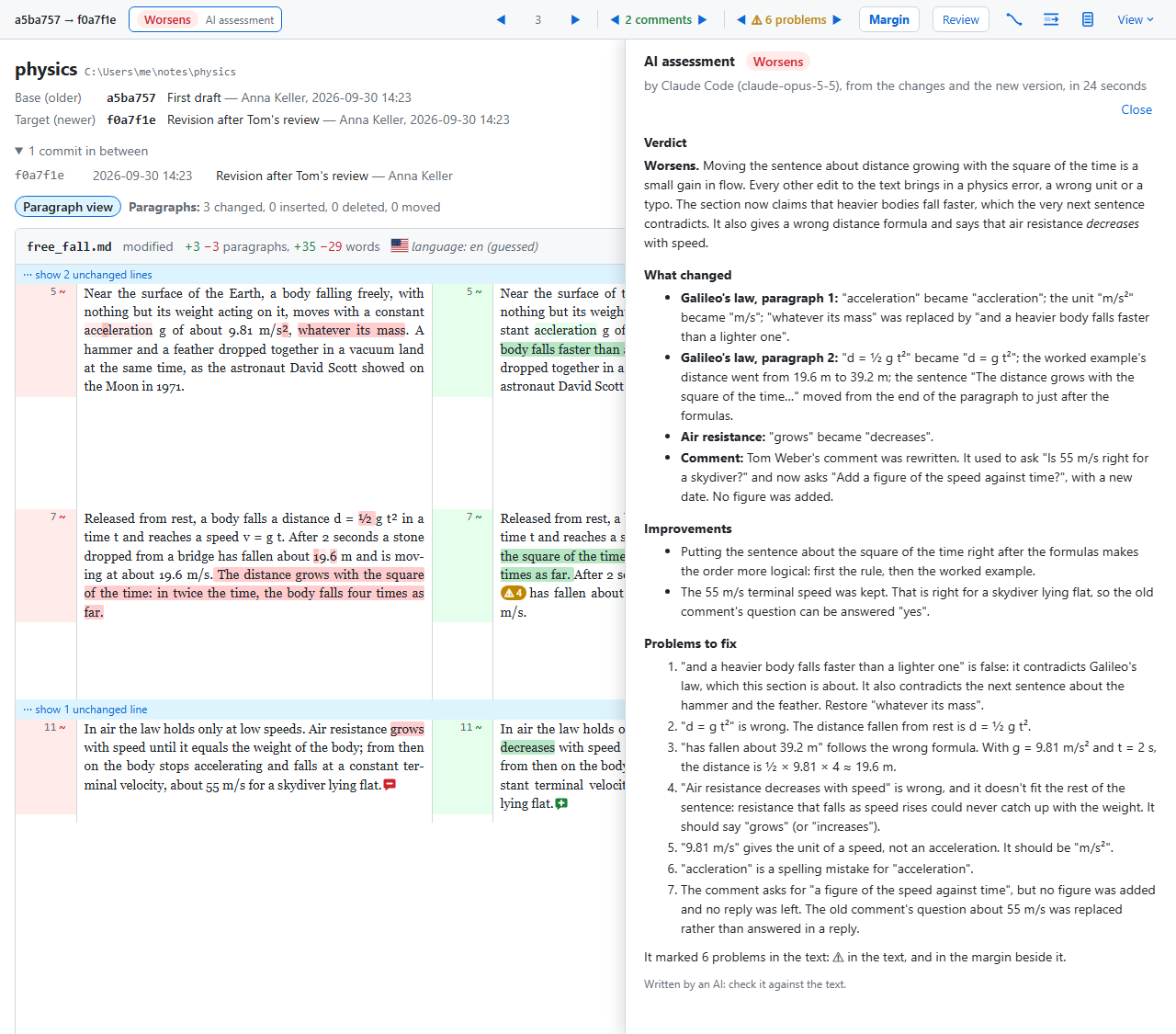
Optionally, an AI reads what changed and judges the revision as a whole. Its verdict, Improves, Mixed or Worsens, sits at the top of the report, and each problem it finds is marked in the text with a card in the margin quoting the words concerned and proposing a fix.
- Claims no longer supported, results misstated, broken sentences.
- Placeholders left in, dangling citations, inconsistent terms or spelling.
- Reviewers' comments left unanswered.
- One document on its own works too, with no earlier version to compare: the AI reviews the whole text and gives a verdict of Good, Fair or Poor.
- Optionally, a second opinion on whether the new text reads as written by an AI, with the signs for and against. It is an indication, not proof.
- The AI's work, back in Word or LibreOffice: for a comparison and for a single document alike, download the document with each fix the AI proposes as a tracked change to accept or reject, and each problem as a comment on its passage. Your co-authors' own tracked changes and comments are kept.
- Runs with Claude, ChatGPT through Codex, a local model through Ollama, or any provider any-llm supports. You can preview the prompt before anything is sent.
What it does
Also included
For papers, reports and books written with other people, where a line is a whole paragraph and an edit is a few words inside it.
Word, LibreOffice and Markdown
.docx and .odt files are read directly, with their formatting, languages and comments. Markdown and plain text work too.
Tracked changes handled
If your co-author did track their edits, they are accepted (or rejected, or kept as markup) exactly as Word would, before comparing.
Tracked changes put back
If they didn't, prosediff can also write a copy of their version with each edit as a tracked change, to accept or reject in Word or LibreOffice.
Files, folders or git
Compare two files, two folders file by file, or two commits of a git repository. prosediff --setup-git makes git diff show Word and LibreOffice documents as text, not as changed binary files, and sets prosediff up as a git difftool: git difftool -d -t prosediff opens the side-by-side report.
A report you can send
The result is a single HTML file that opens in any browser, with changes described in plain English. Unified diffs and word diffs are available too.
No command line needed
A window for choosing what to compare
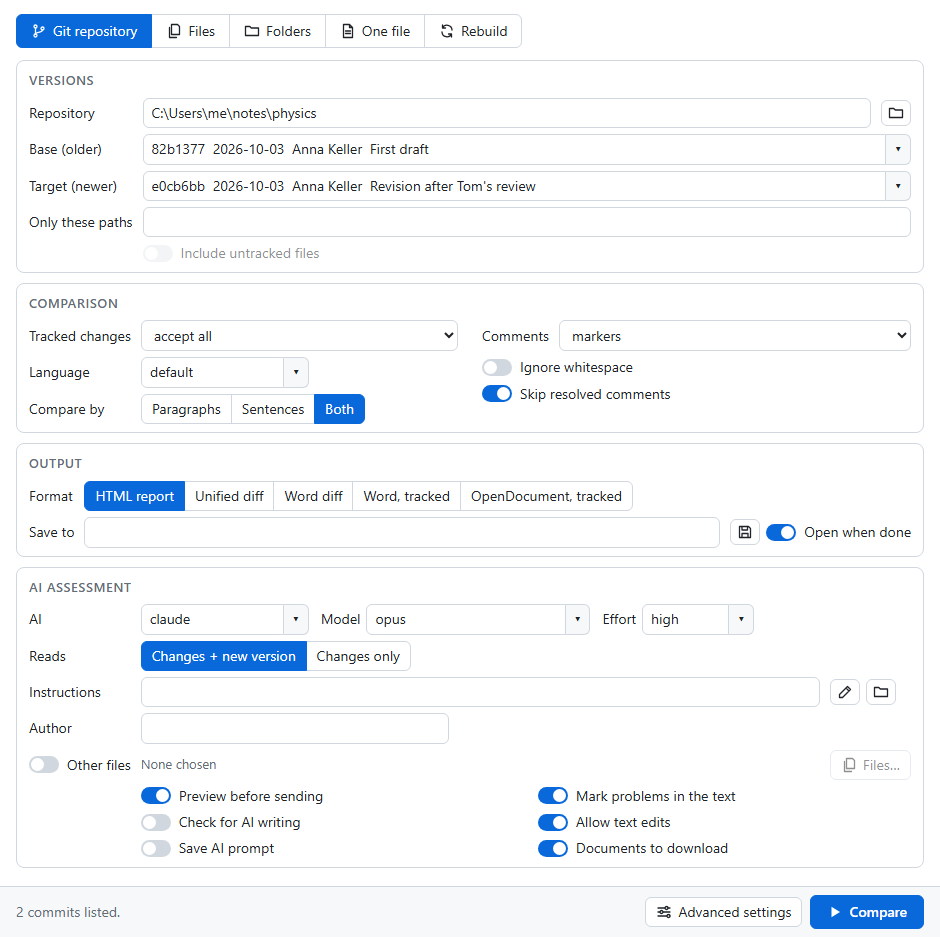
Run prosediff-gui, pick two files, two folders or two commits, choose whether an AI should assess the changes, and press Compare. To have one document reviewed instead, use the One file tab. The report opens in your browser.
Compared with
How it differs from the tools you have
| Code diff tools git diff, Meld, GitHub | Word's Compare Documents | prosediff | |
|---|---|---|---|
| Shows the versions side by side | Line by line | A third document of revision marks | Paragraph by paragraph |
| Follows edited text that moved | No | Only unedited moves | Yes |
| AI review of the revision | No | No | Optional |
| AI review of a single document | No | No | Optional |
| AI fixes as tracked changes, problems as comments | No | No | Yes, for Word and LibreOffice |
| Reads Word files | No, shown as binary | Yes | Yes, and .odt and Markdown |
| Lists new and removed comments | No | No | Yes |
| Compares folders and git history | Yes | No | Yes |
| Writes a copy with tracked changes | No | Yes | Yes, for Word and LibreOffice |
Install
Get started
prosediff runs on Windows, macOS and Linux. It needs Python 3.11 or later and git, which it uses to line the two versions up, even when you're comparing files that aren't in a repository.
With uv (recommended)
Install uv, then:
uv tool install prosediff
# with AI assessment through Claude
uv tool install "prosediff[claude]"
# or through ChatGPT (Codex), or Ollama and other providers
uv tool install "prosediff[codex]"
uv tool install "prosediff[models]"
Then compare
Open the window, or use the command line:
prosediff-gui
prosediff --files draft.docx returned.docx
prosediff --git . HEAD~1
# one document, reviewed by an AI
prosediff --review paper.docx --assess claude
pip and pipx work too: pipx install prosediff. Every option is described in the command-line documentation.